Tips for Creating a Relaxing Home Workspace to Boost Productivity
Creating a relaxing home workspace can make a significant difference in your productivity and overall well-being. With more people working remotely, having a comfortable and calming area dedicated to work helps reduce stress and improve focus. Whether you have a small corner or a whole room to devote to your workspace, these practical tips will guide you in designing an environment that supports both relaxation and productivity.
Why a Relaxing Workspace Matters
Your home workspace is more than just a place to get work done. It sets the tone for your day and influences how efficiently you complete tasks. A cluttered, noisy, or uncomfortable workspace can increase stress and distractions, making it harder to concentrate. On the other hand, a space that feels calm and inviting encourages you to stay engaged, think clearly, and maintain motivation.
Choose the Right Location
Consider Natural Light
Position your desk near a window to take advantage of natural light. Sunlight can improve mood and reduce eye strain. If your space doesn’t have much natural light, opt for warm, adjustable LED lighting to create a cozy atmosphere.
Minimize Noise
Select a quiet spot in your home away from high-traffic areas and kitchen noise. If external sounds are unavoidable, consider using noise-cancelling headphones or adding soft materials like rugs and curtains to absorb sound.
Keep It Organized and Clutter-Free
Use Storage Solutions
Invest in shelves, drawers, and organizers to keep your desk tidy. Keep only essential items on your desk surface and store everything else within reach but out of sight.
Regularly Declutter
Make it a habit to clear your workspace at the end of each day. A clean desk helps clear your mind and signals that your workday is done.
Select Comfortable and Ergonomic Furniture
Invest in a Supportive Chair
Choose an ergonomic chair that supports good posture, especially if you spend long hours sitting. Proper support reduces back and neck strain.
Adjust Desk Height and Monitor Position
Your desk and chair should allow your feet to rest flat on the floor with your knees at about a 90-degree angle. Position your computer monitor at eye level to prevent neck discomfort.
Add Soothing Elements
Incorporate Plants
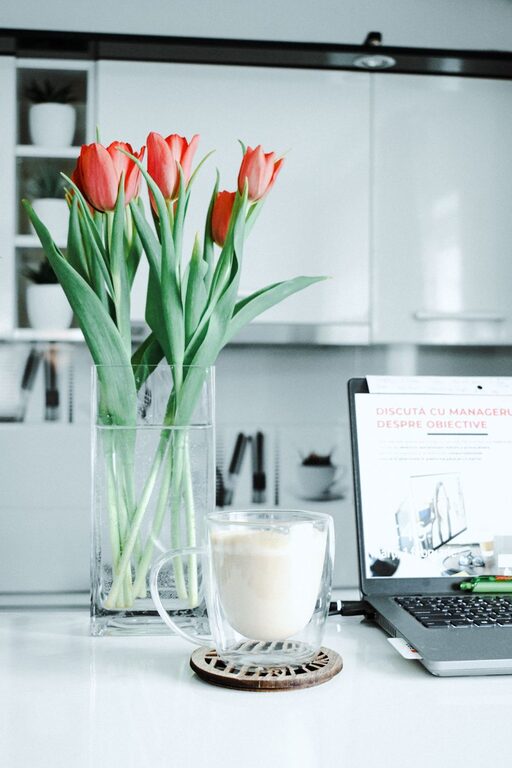
Indoor plants not only improve air quality but also create a more relaxing environment. Choose low-maintenance plants like succulents or pothos to brighten up your space.
Personal Touches
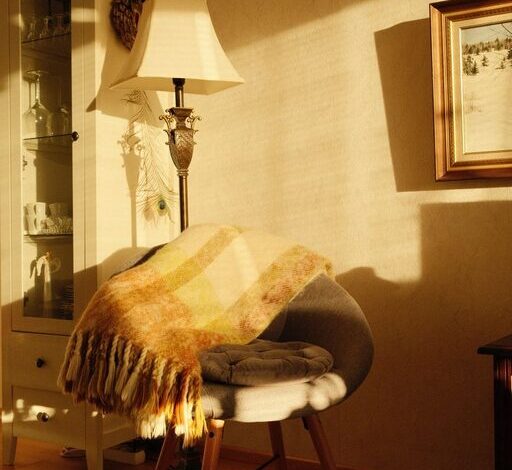
Include calming colors, artwork, or items that inspire you. Soft neutral tones or nature-themed prints can help reduce stress and boost creativity.
Use Calming Scents
Consider a subtle diffuser with essential oils such as lavender or eucalyptus, known for their relaxing properties.
Manage Technology Wisely
Limit Digital Clutter
Turn off unnecessary notifications to reduce distractions. Use apps that help manage tasks and keep you organized without overwhelming you.
Keep Cords Tidy
Use cable organizers to avoid tangled cords and create a neat workspace.
Create a Routine and Boundaries
Designate Work Hours
Set clear working hours to maintain balance between work and personal life. This helps your brain associate your workspace with productivity only during specific times.
Take Regular Breaks
Incorporate short breaks to stretch, hydrate, and rest your eyes. Breaks improve focus and prevent burnout.
Keep It Flexible and Adaptable
Your work needs may change over time. Choose furniture and layout options that can be easily adjusted, allowing your workspace to evolve with you.
—
By following these tips, you’ll create a relaxing home workspace that not only helps you stay productive but also improves your comfort and mood. Remember, a well-designed environment is a foundation for success in your work-from-home journey. Take time to personalize and maintain your workspace, and you’ll enjoy a more enjoyable and efficient workday.